Create Object Storage
Ceph Object Storage
Ceph is a robust and scalable object storage solution designed to provide reliable data storage and management. Stack Console offers seamless integration, empowering users to create and manage storage objects efficiently. Here is a step-by-step guide on how you can configure Ceph Object Storage within your Stack Console dashboard.
Creating Ceph Object Storage
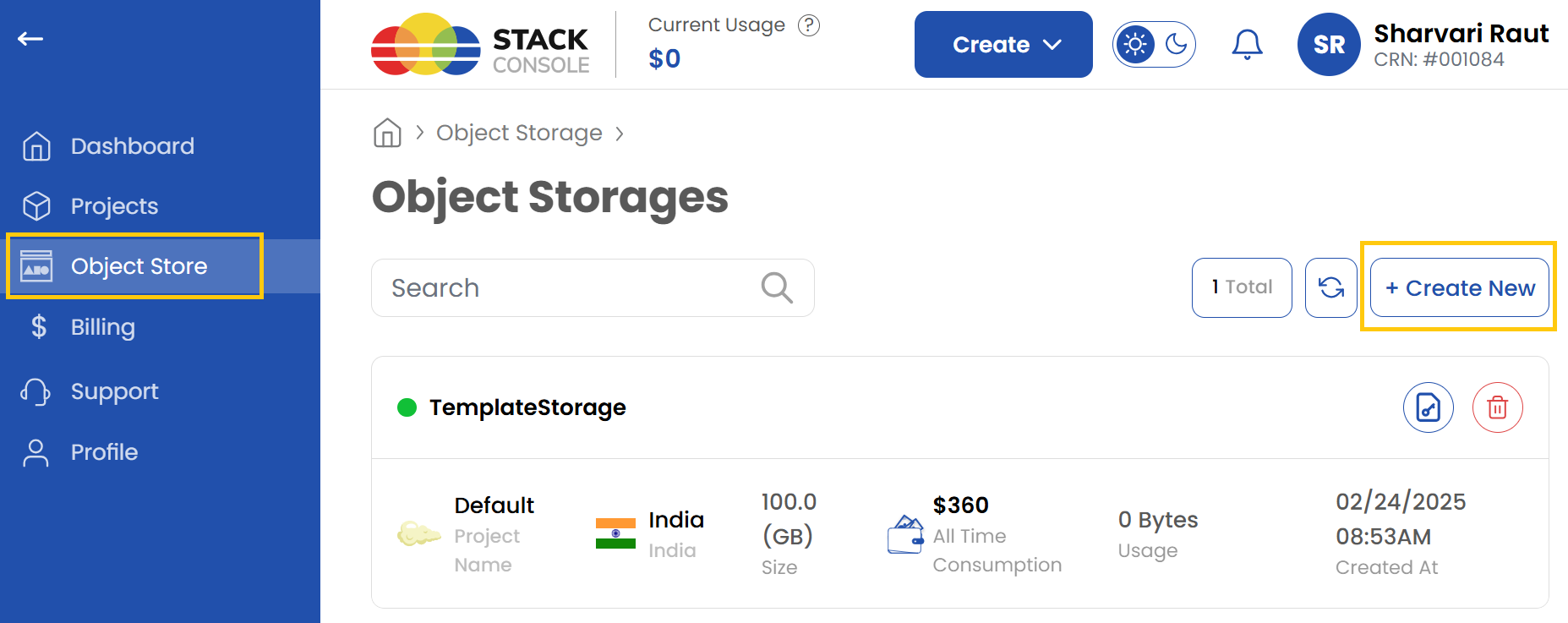
- From the left-hand side menu, click on the Object Storage tab.
- To create an object storage, click the Create Object Storage or Create New icon located on the right side of the page. This will open the object creation menu.
Assign to a Project
- Assign the object storage to one of your projects to organize and manage resources effectively.

Choose a Location
- Select the data center location where your server will be physically hosted.
- Choose from the available locations listed.

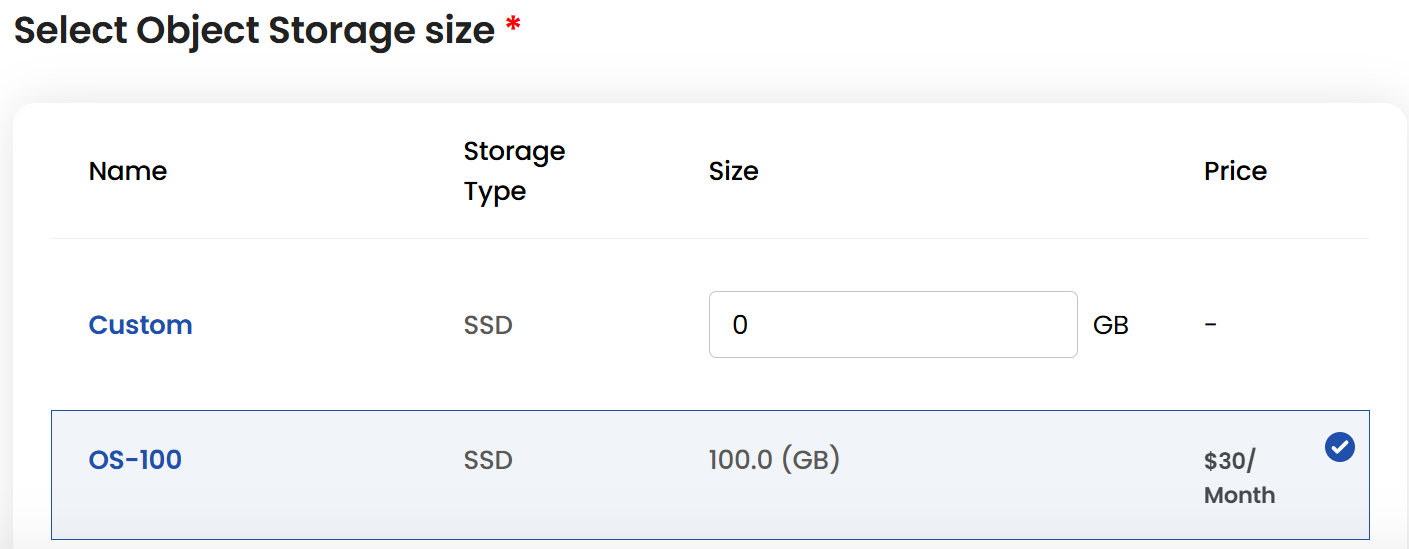
Object Storage Size
- Choose a plan based on your requirements like storage type and size. You can also create a custom plan if needed.
- The cost will adjust according to the resources you select.
Choose Storage Object Name
- Provide a unique Object Name for your storage object to identify it easily in your dashboard.

Create Storage Object
- Choose the desired Billing Cycle for your storage object. Ceph Object supports Hourly, Monthly, Quarterly, Semiannually, Yearly, Bi-annually, and Tri-annually billing cycles.
- It uses Date to Date, Fixed Calendar Month, Unfixed Calendar Month, Fixed Prorata, and Unfixed Prorata billing rules.
- Multiple configuration options are available. This service provides flexible, scalable object storage for various cloud-native use cases.
- Verify all the configuration details and review the price summary. Click on Review and Create to create the storage object.

Conclusion
By following this guide, you can easily configure and manage Ceph Object Storage in Stack Console. This feature provides a scalable and reliable solution for storing and managing your data efficiently. For further assistance, refer to the Stack Console documentation or reach out to support.